Electrical Equipment Information Management Desktop App
Windows desktop application for creating, managing, and exporting electrical testing reports for Can Tho Power Corporation (PCCT). Connects to the RESTful API Backend.
Overview
Electrical Equipment Information Management Desktop App is a Windows desktop application for creating, managing, and exporting electrical testing reports for Can Tho Power Corporation (PCCT). It connects to the RESTful API Backend.
The application is the desktop client of the electrical testing digital transformation ecosystem, complementing the cloud-based API backend. It provides an intuitive interface for field staff to search, manage, confirm test data, and export official reports and certificates.
Main Features
| Module | Description |
|---|---|
| Login | Authentication via employee ID and password against backend API (UserAPI). Optional save username/password. Loads library data on startup. |
| Search & View | Query construction by month/year, equipment pending confirmation. DevExpress Grid, search/filter, column customization, footer summary. |
| Manager | Add/edit construction (name, address, management unit, equipment list, status, staff). Equipment per construction grid. Save via ConstructionAPI and EquipmentAPI. |
| Create Report | Create test reports (BBTN), inspection reports (BBKD), certificates (GCN). Export to Word (.docx) via DocX. Loads templates from backend storage. |
| Export Data by Month | Select month/year, query construction and equipment from backend, export to Excel (.xlsx) in bulk via EPPlus. Periodic reporting, backup, analysis. |
Technology Stack
| Category | Technology |
|---|---|
| Language | C# |
| Framework | .NET Framework 4.7.2 |
| UI | Windows Forms, DevExpress v22.2 (XtraEditors, XtraGrid, XtraLayout, XtraPrinting) |
| HTTP Client | System.Net.Http |
| JSON | Newtonsoft.Json |
| Word export | DocX (Xceed.Words.NET) |
| Excel export | EPPlus |
| Backend API | RESTful API Backend (Can Tho Power) |
| Storage | Azure Blob Storage (report templates) |
System Architecture
The desktop application connects to and queries data from the API Backend of the electrical testing project (RESTful API Backend – Can Tho Power). It sends and receives construction, equipment, user, and file data over HTTP; report templates are loaded from backend storage as needed.
Project Structure
Views: Login_Form, Search_Form, Manager_Form, CreateBBTN_Form, ExportDatMonth_Form.
Services: ConstructionService (ConstructionAPI), EquipmentService (EquipmentAPI), UserService, MediaService, Config, AppSettings, UtilityService.
Models: Construction, Equipment, Document (test report), User.
Main Data Models
Construction, Equipment, Document (test report), User.
Screenshots
Screen flow: Login → Search (construction & equipment) → Manager (edit) → Create Report (Word) → Export Data (Excel).
1. Login
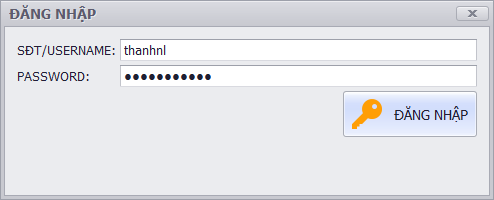
Login screen — Employee ID and password.
2. Search — Construction list
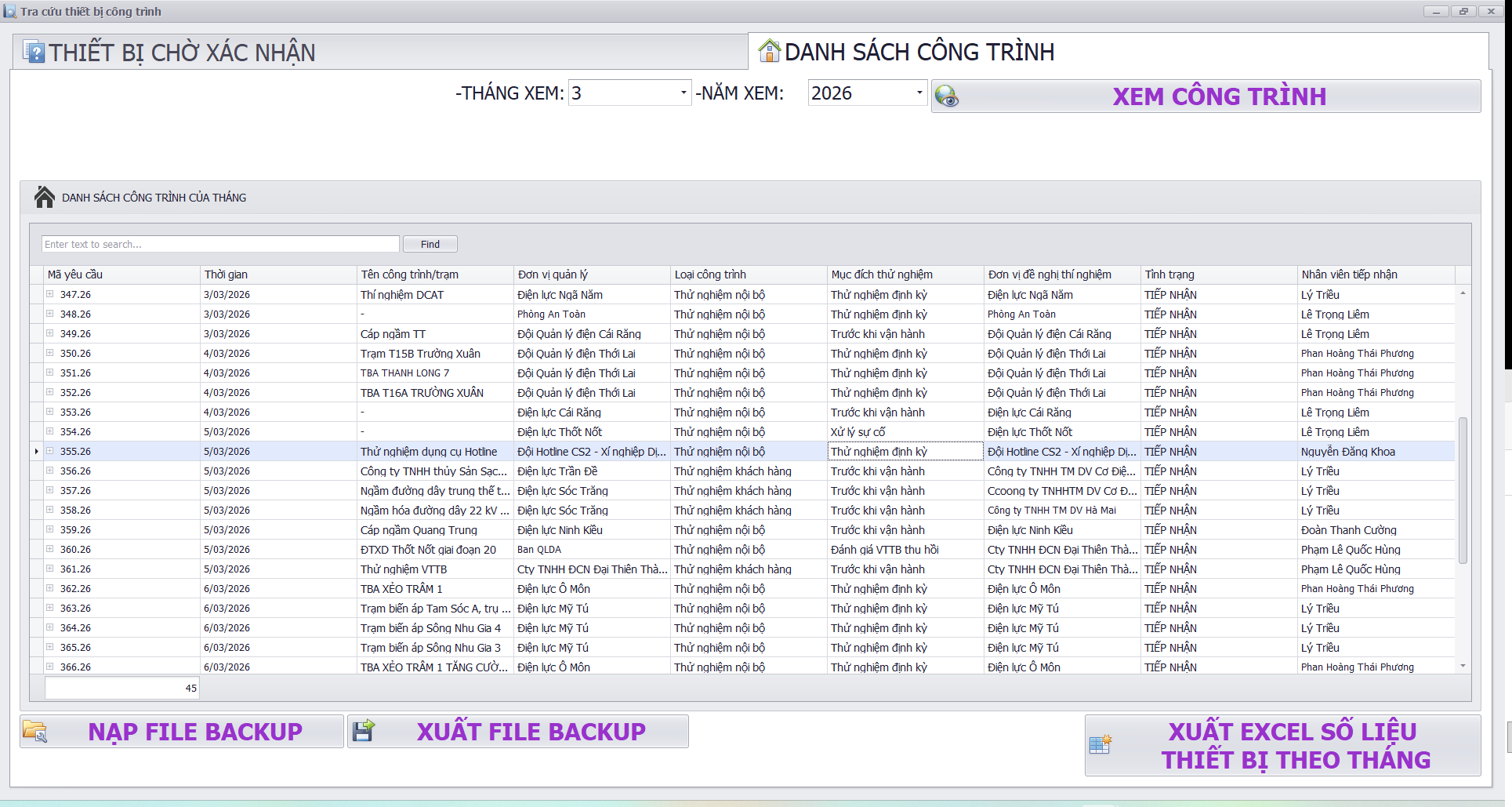
Search form — Construction projects by month/year and equipment pending confirmation.
3. Manage Construction information
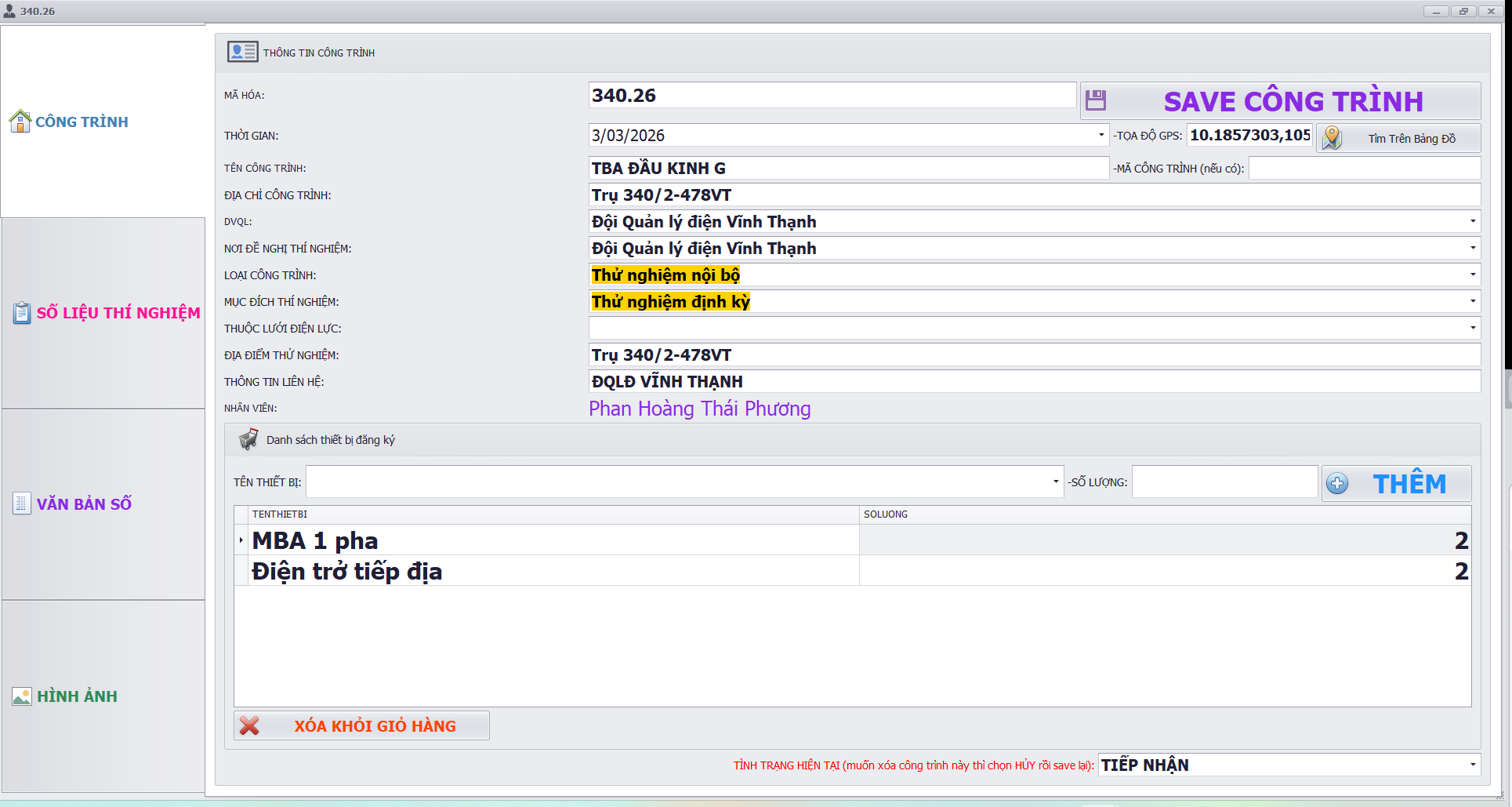
Manage Construction information.
4. Manager — Construction and equipment
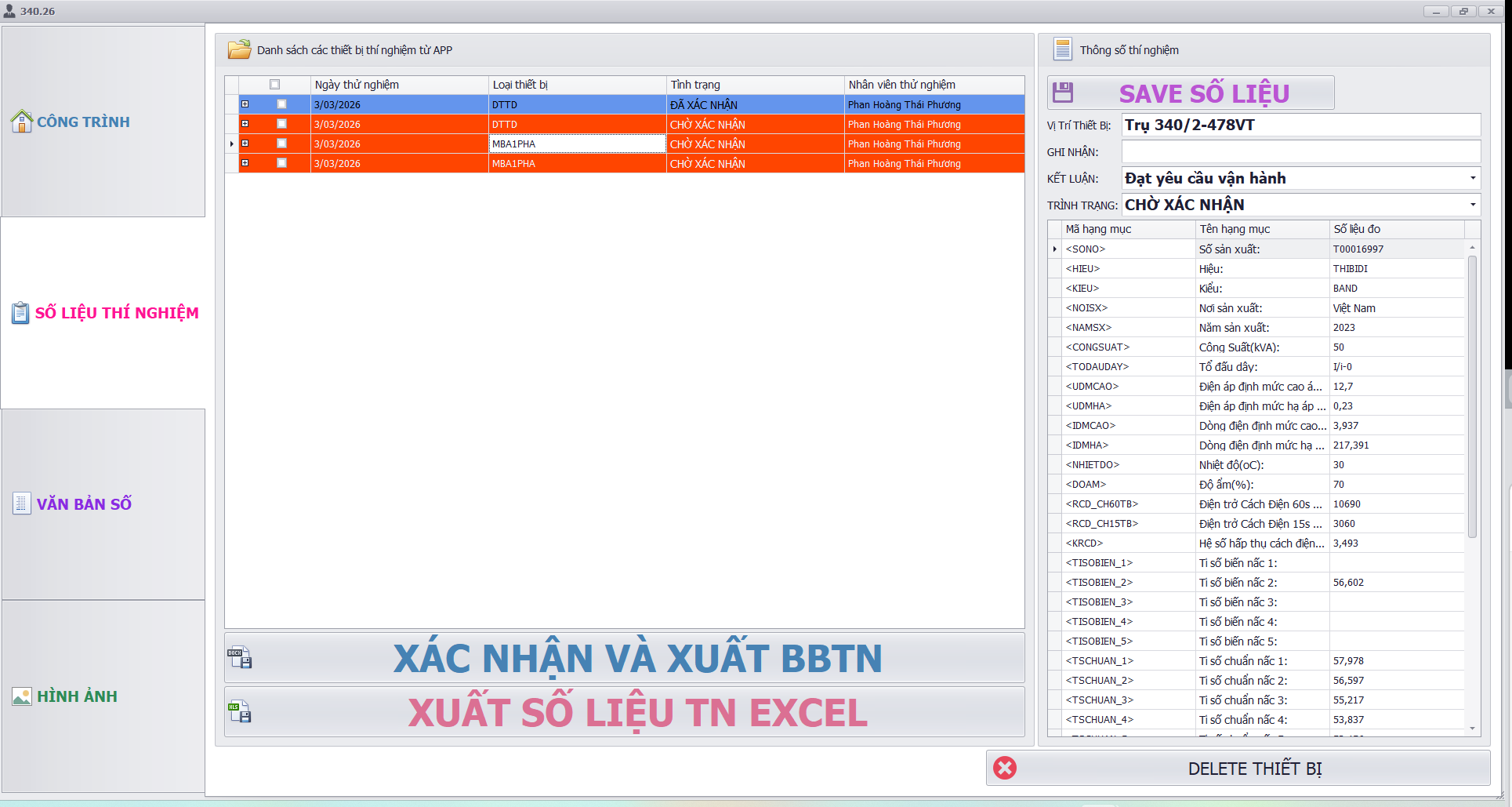
Manager form — Add/edit construction info and equipment per construction.
5. Monitor image from workers onsite
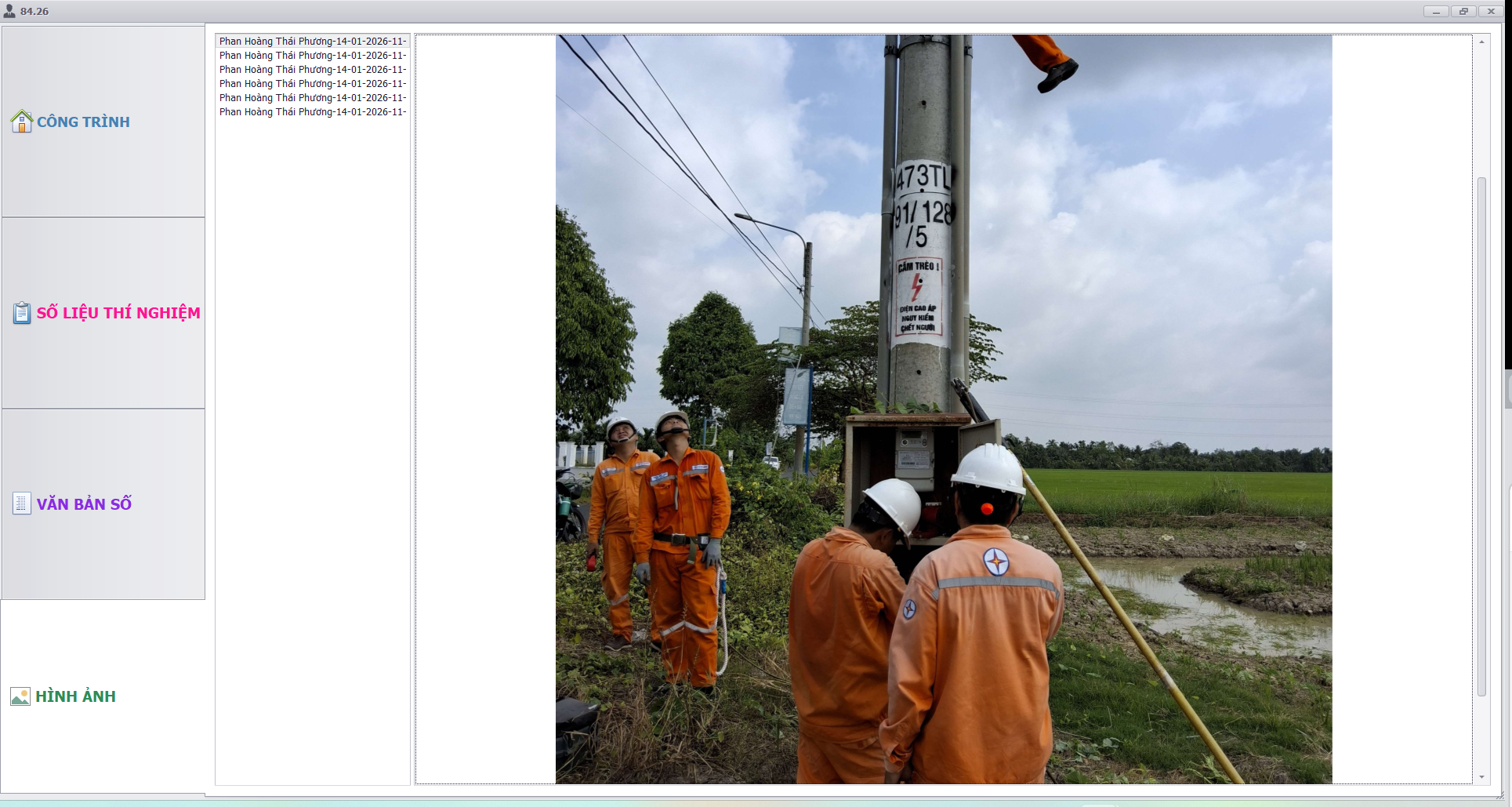
Monitor image from workers onsite.
6. View actual field data and images from site
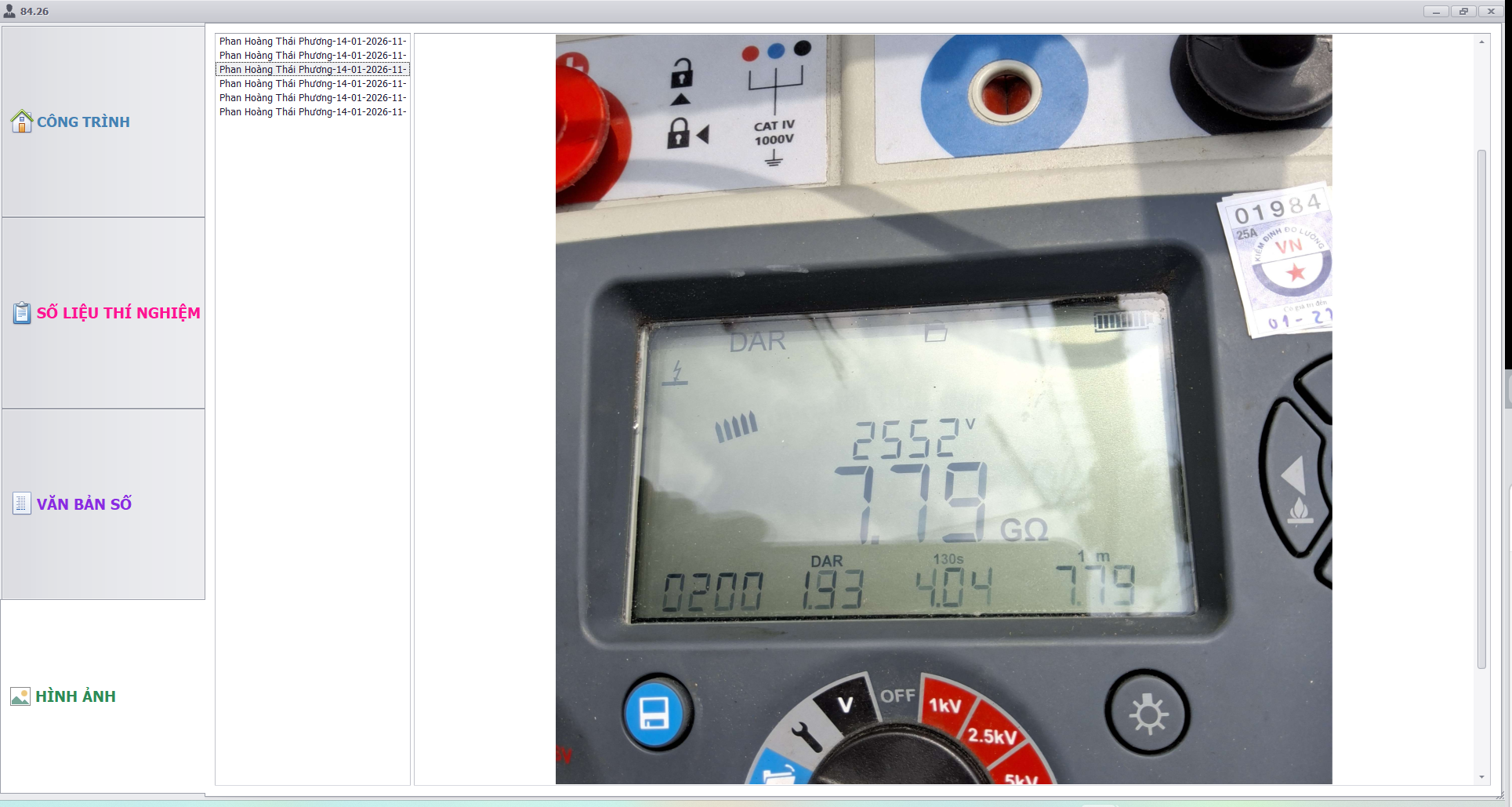
View actual field data and images from site.
7. View electrical measurement equipment data and photos from field
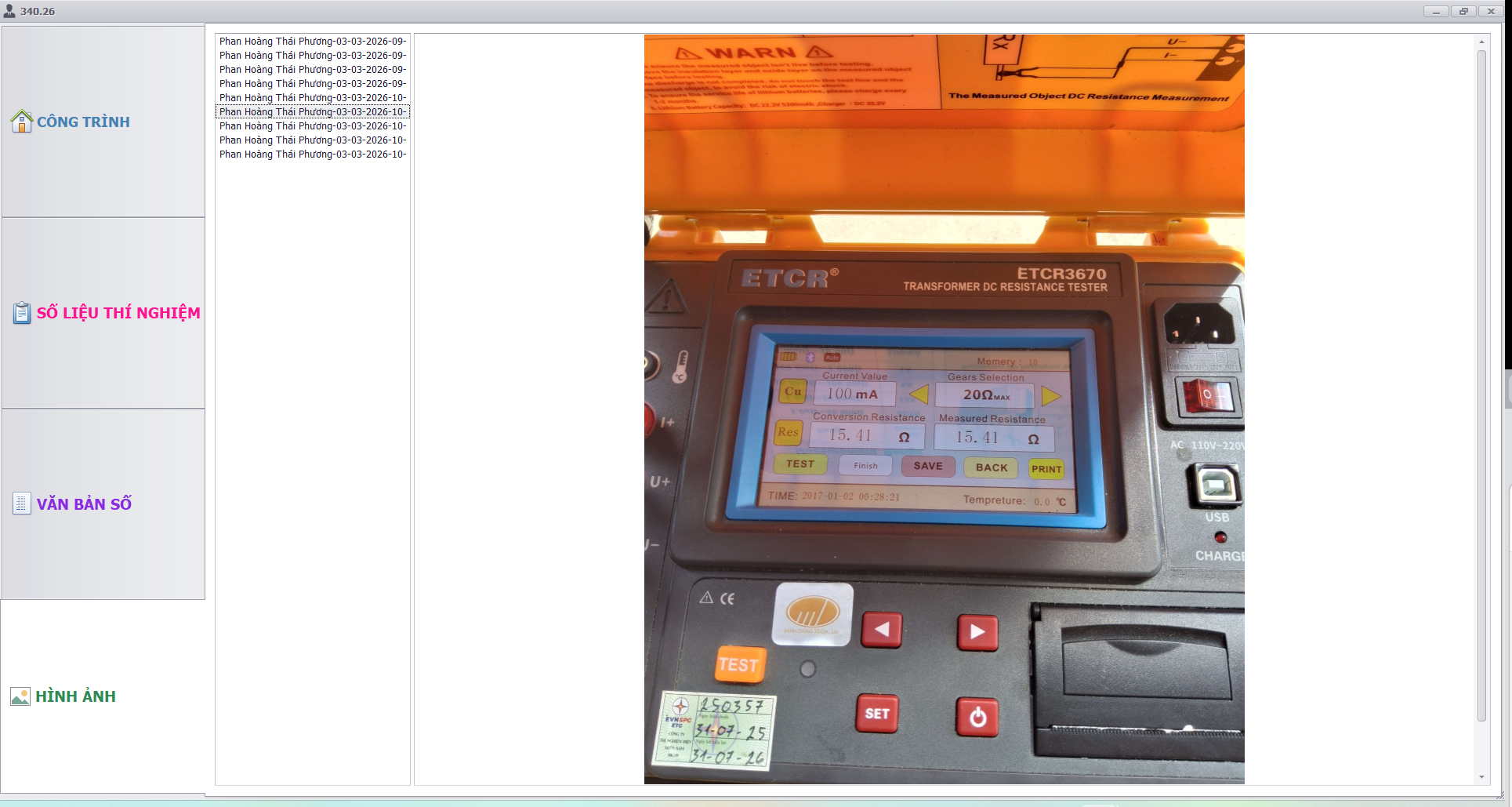
View electrical measurement equipment data and photos from field.
8. Manage device data sent from the app
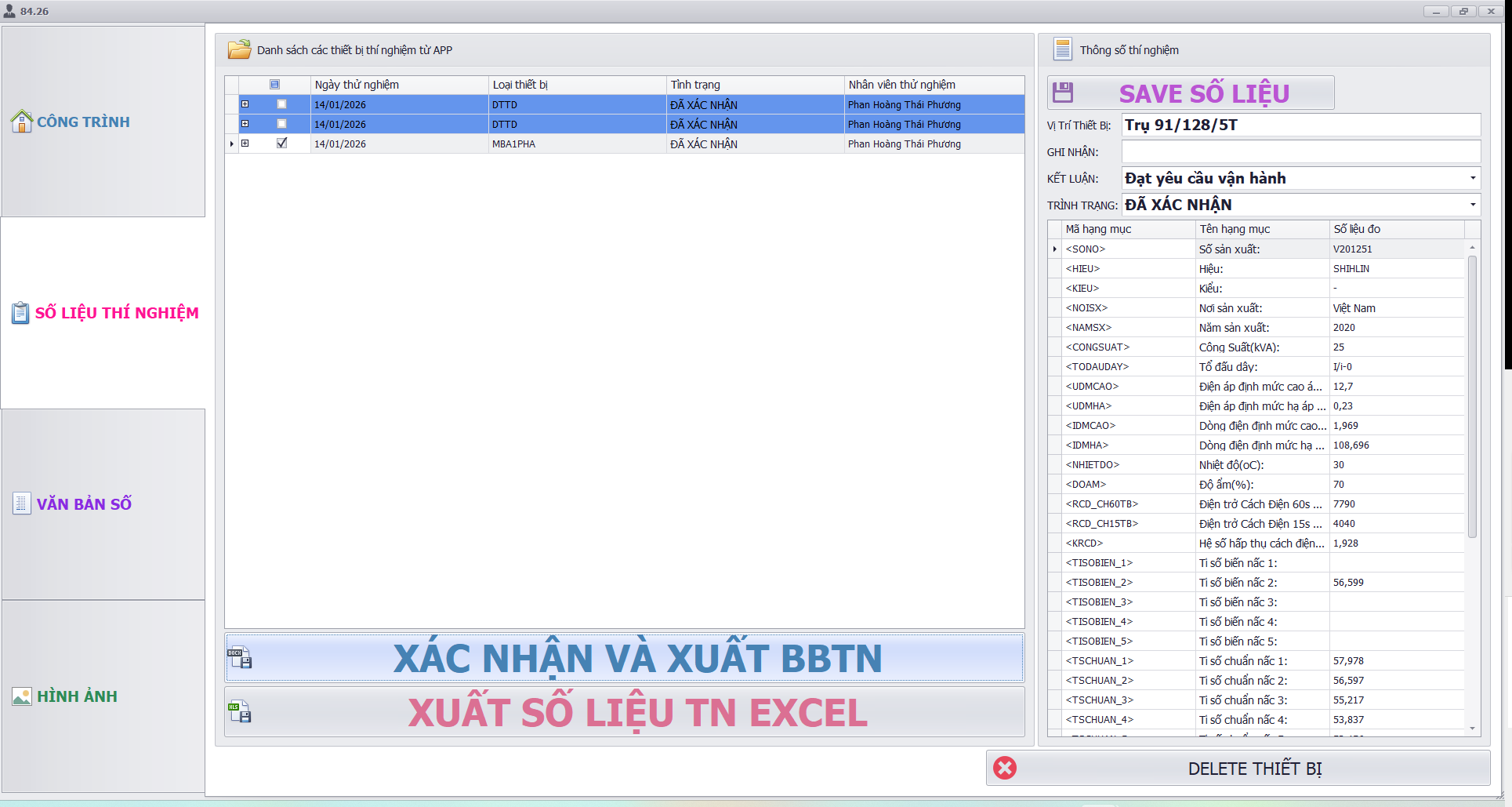
Manage device data sent from the app.
9. Export report
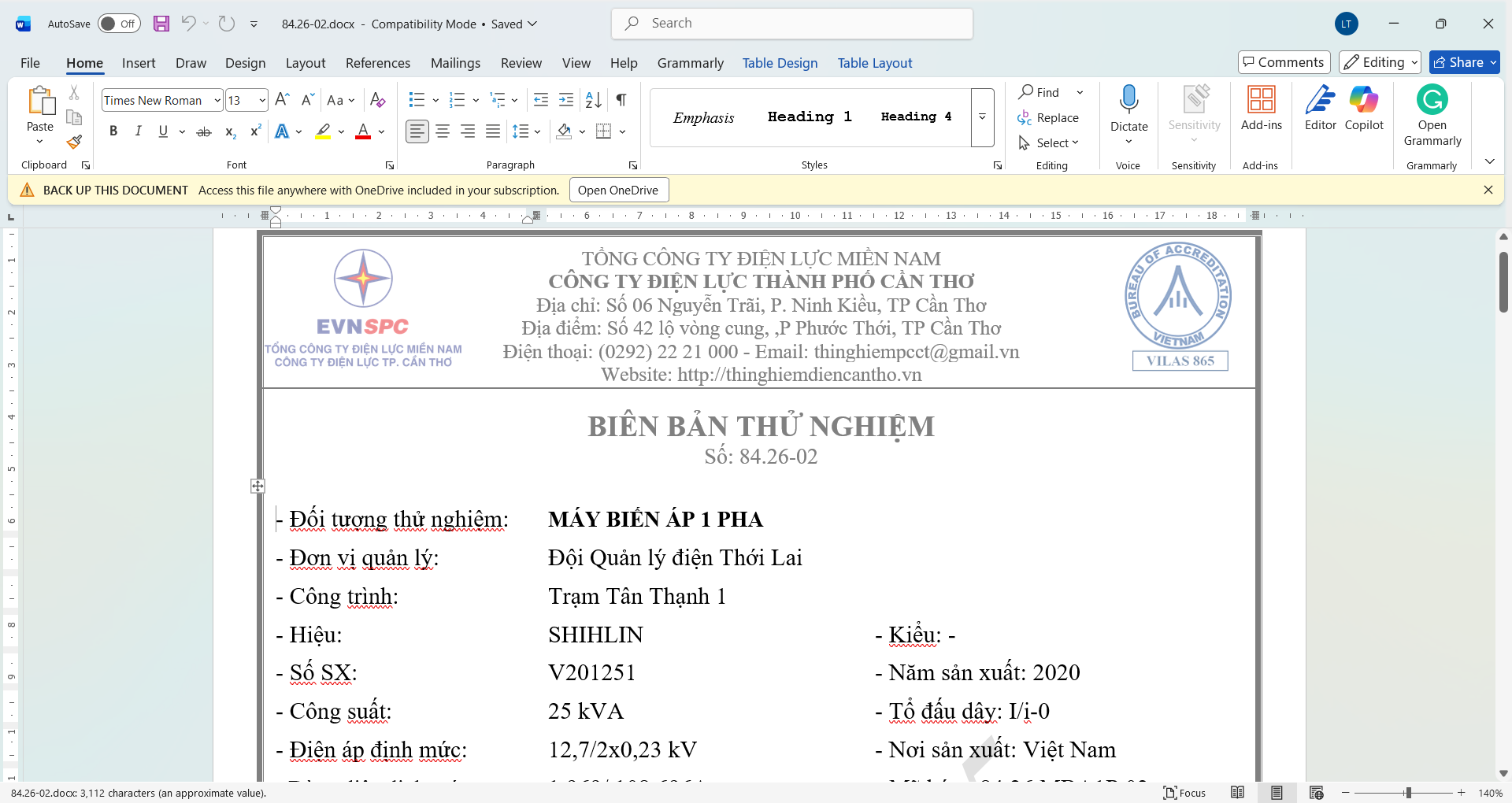
Export report — Word (.docx) and Excel (.xlsx) report output.
10. Project programming interface
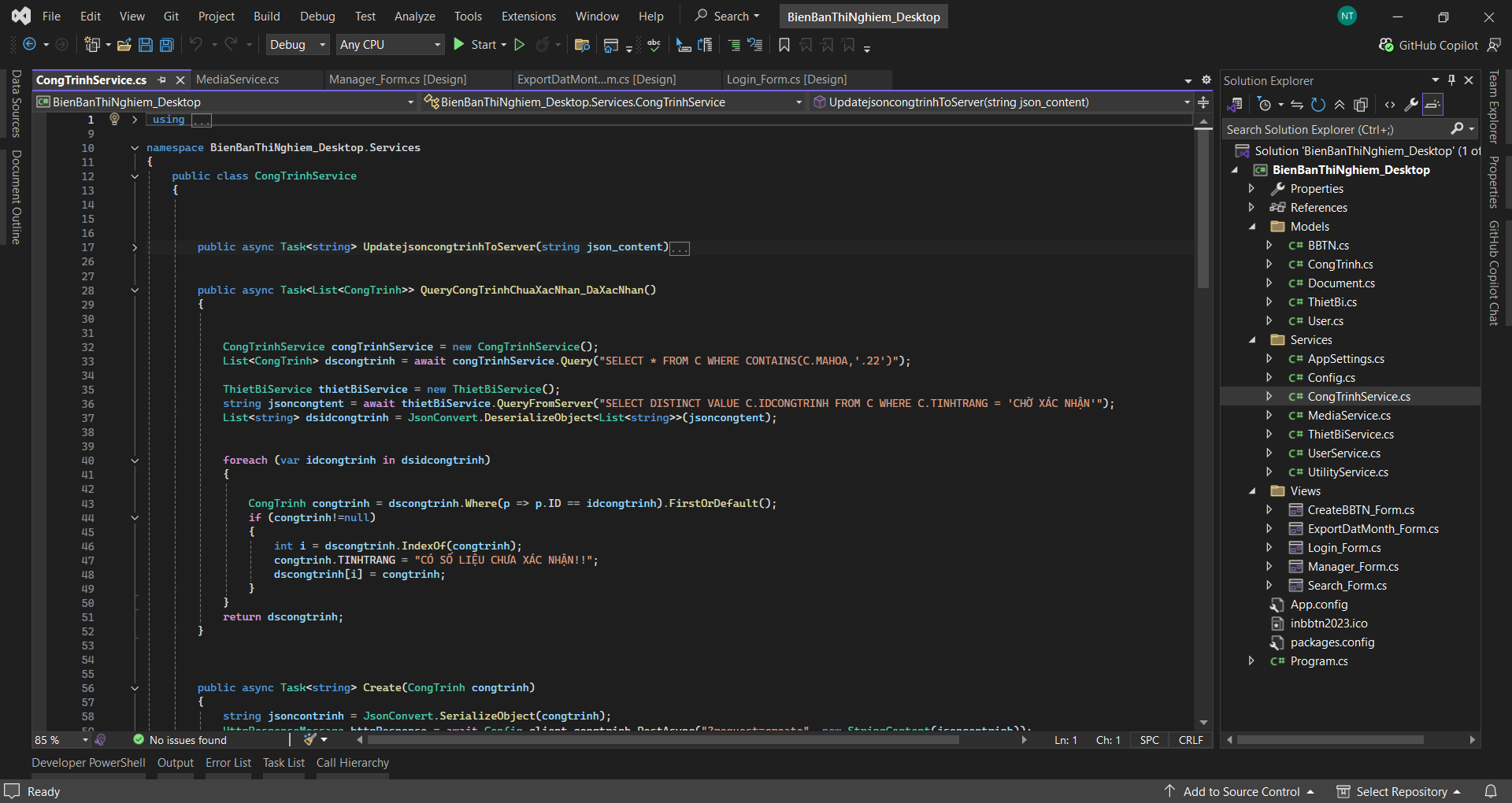
Project programming interface.
11. VS programming interface — project UI design
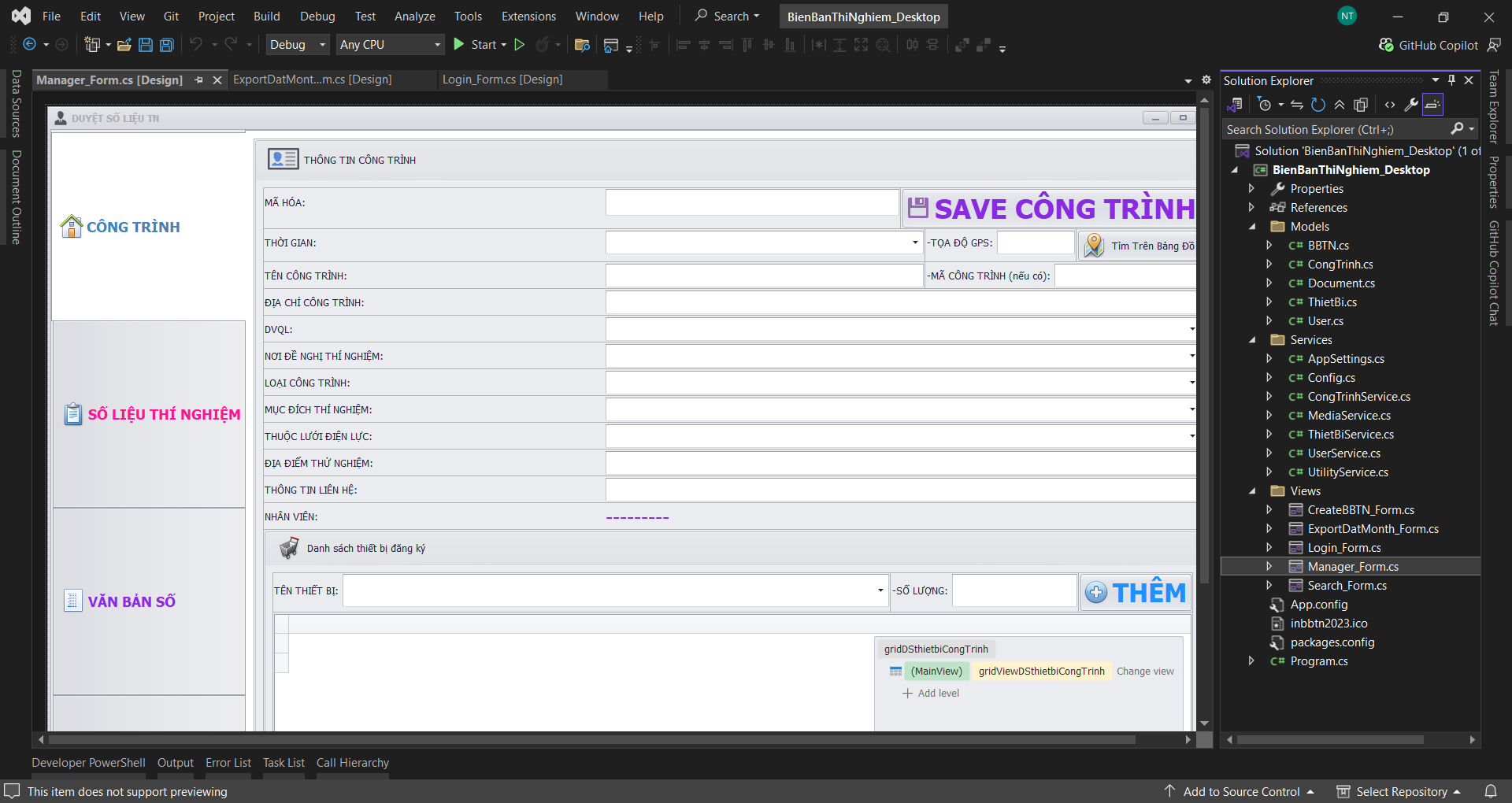
VS programming interface — project UI design.