Adelaide Metro Real-Time Data Mining Platform
Cloud Computing Project — A cloud-based data pipeline to collect, process, store, and analyse real-time public transport data from the Adelaide Metro API (GTFS). Integrates Microsoft Azure and Node-RED for data ingestion, monitoring, reporting, and visualization.
Context: Cloud and Distributed Computing course, Flinders University
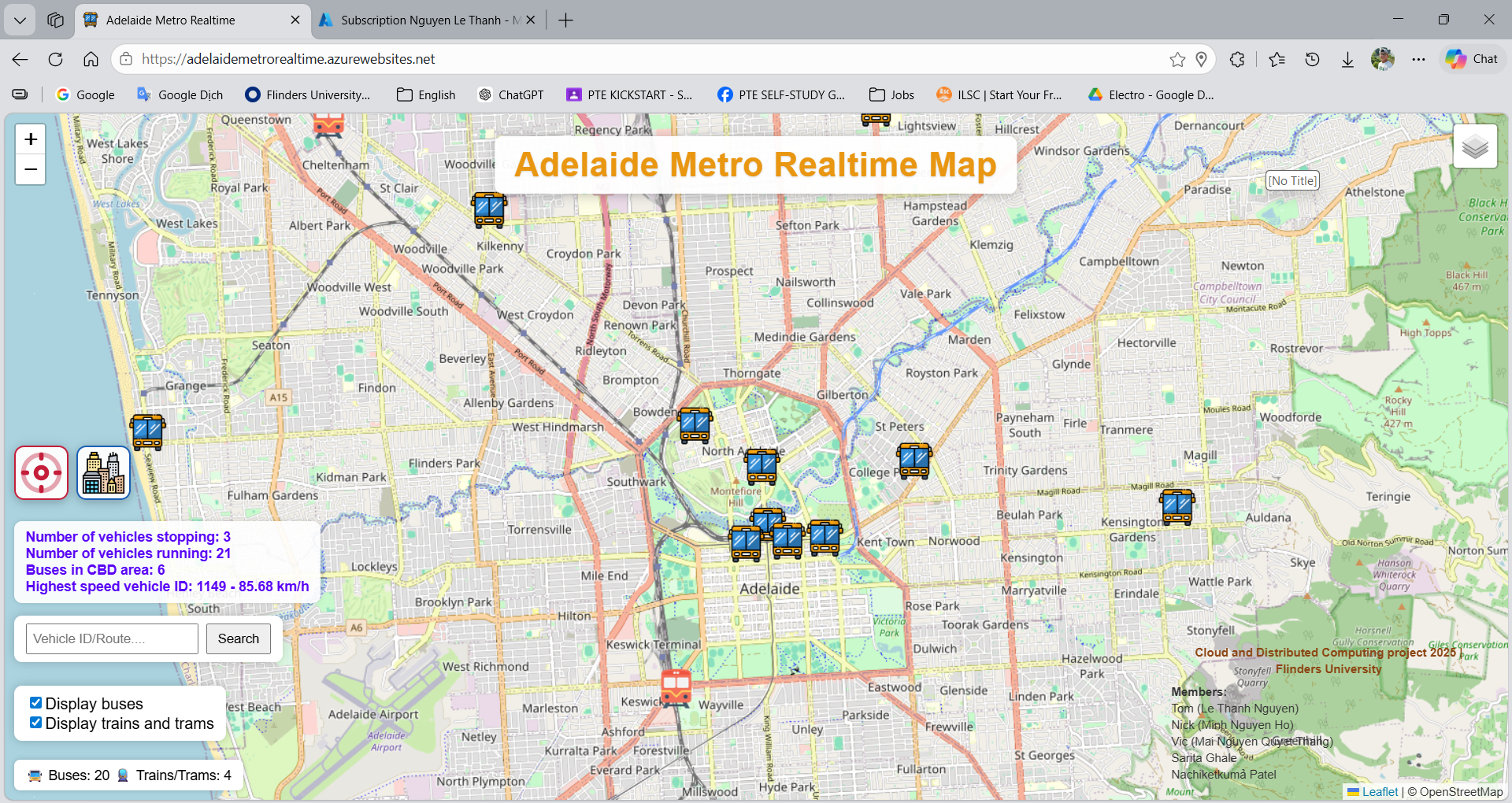
Description
This project was developed as part of a Cloud and Distributed Computing course at Flinders University. The system designs and implements a cloud-based data pipeline to collect, process, store, and analyse real-time public transport data from the Adelaide Metro API.
The solution integrates Microsoft Azure cloud services and Node-RED to automate data ingestion, monitoring, reporting, and visualization, allowing stakeholders to track vehicle locations and analyse transport operations in real time.
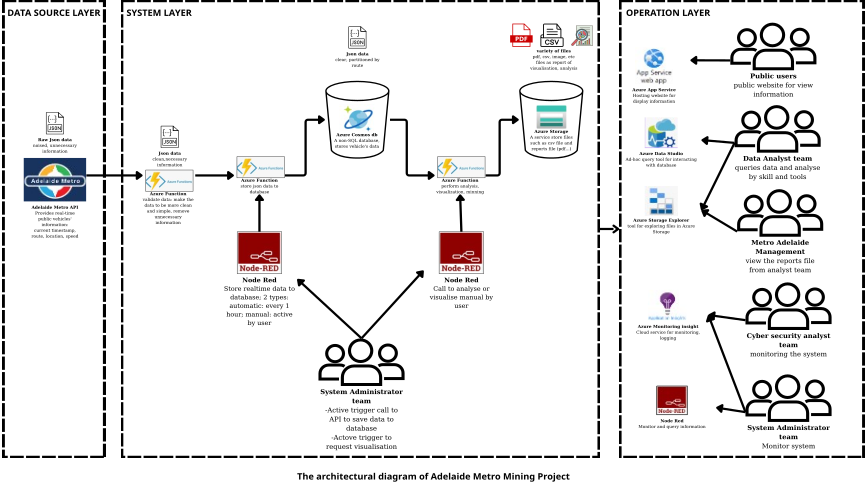
Figure 1: System architecture overview
Key Features
- Designed a cloud-based architecture to collect and process real-time vehicle data from the Adelaide Metro public API (GTFS).
- Implemented serverless backend APIs using Azure Functions to retrieve, clean, and transform JSON transport data.
- Stored real-time and historical vehicle data using Azure Cosmos DB (NoSQL) for scalable and efficient data queries.
- Developed automated workflows using Node-RED to trigger data collection, monitoring, and reporting tasks.
- Built data visualization dashboards using Node-RED and Tableau for analysing transport operations.
- Developed a web application for public users to view real-time vehicle locations and route information.
- Implemented automatic alert notifications for abnormal transport conditions.
System Architecture
The system follows a distributed cloud architecture consisting of data ingestion, processing, storage, and analytics layers.
Process flow
Data moves through the pipeline as follows:
- Data ingestion — Raw vehicle and route data is pulled from the Adelaide Metro Real-Time API (GTFS/JSON).
- Processing layer — Azure Functions (serverless) run on a timer trigger, automatically every 30 minutes, to fetch current vehicle and route data from the Metro API, then validate, clean, and transform the raw JSON before writing it to the database for storage.
- Storage layer — Processed data is written to Azure Cosmos DB (NoSQL) for real-time and historical queries, and to Azure Storage for backups or bulk assets as needed.
- Middleware — Node-RED workflows analyse the data stored in the database to discover insights, orchestrate monitoring and reporting, and trigger alert notifications when needed.
- Analytics & presentation — Tableau dashboards and Node-RED UI visualise the data; the public Azure App Service web app serves real-time vehicle locations and route information to end users.
Key components:
- Data Source: Adelaide Metro Real-time API (GTFS)
- Processing Layer: Azure Functions
- Storage Layer: Azure Cosmos DB and Azure Storage
- Middleware: Node-RED automation workflows
- Analytics Layer: Tableau dashboards
- Web Interface: Azure App Service
Technologies Used
| Category | Technology |
|---|---|
| Cloud Platform | Microsoft Azure |
| Azure Services | Azure Functions, Azure Cosmos DB, Azure Storage, Azure Application Insights, Azure App Service |
| Development Tools | Visual Studio 2022, Postman, Azure Data Studio, Azure Storage Explorer |
| Data Processing & Integration | Node-RED, REST APIs, JSON Data Processing |
| Data Visualization | Tableau, Node-RED Dashboard |
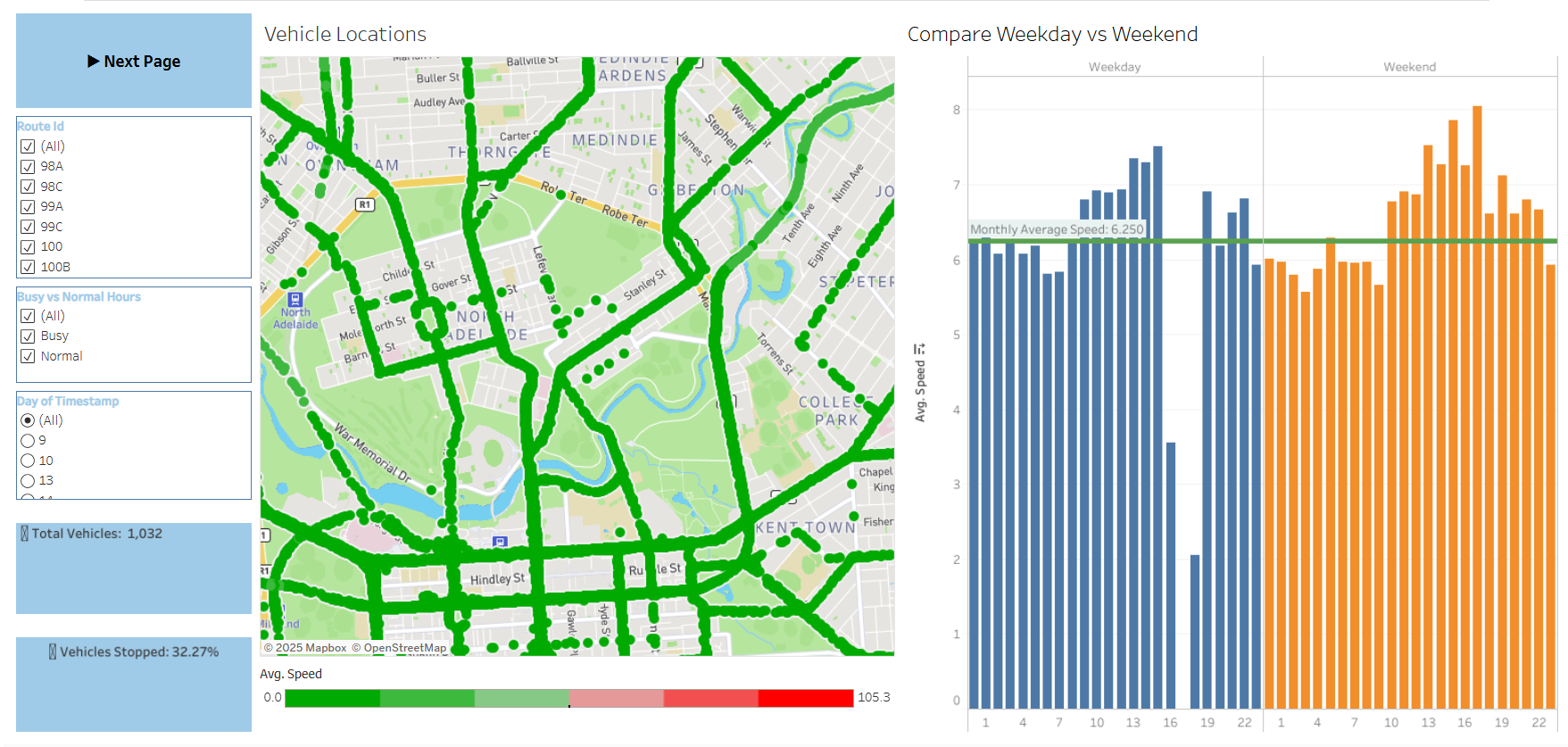
Figure 3: Tableau dashboard
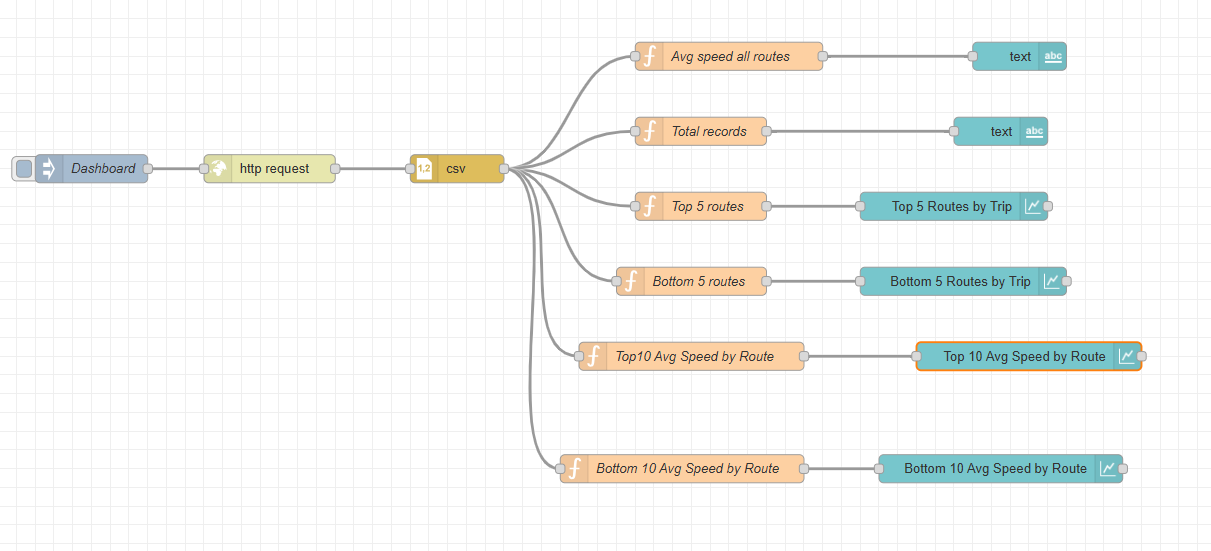
Figure 4: Node-RED / quick visualization
Backend API Development
Backend APIs were implemented using Azure Functions to retrieve and process real-time vehicle data from the Adelaide Metro API.
Screenshots
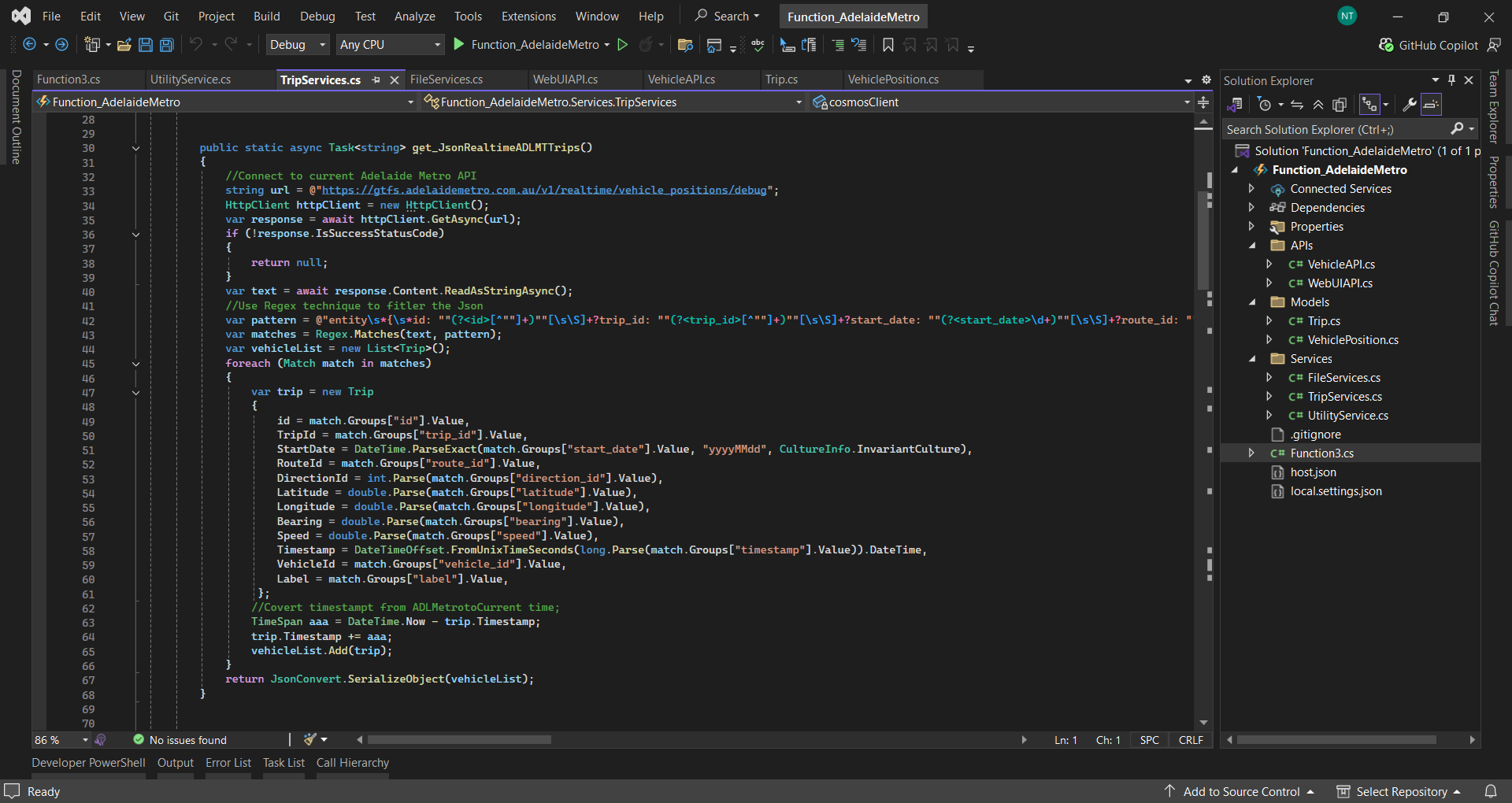
Azure Functions project or Metro API integration in the development environment.
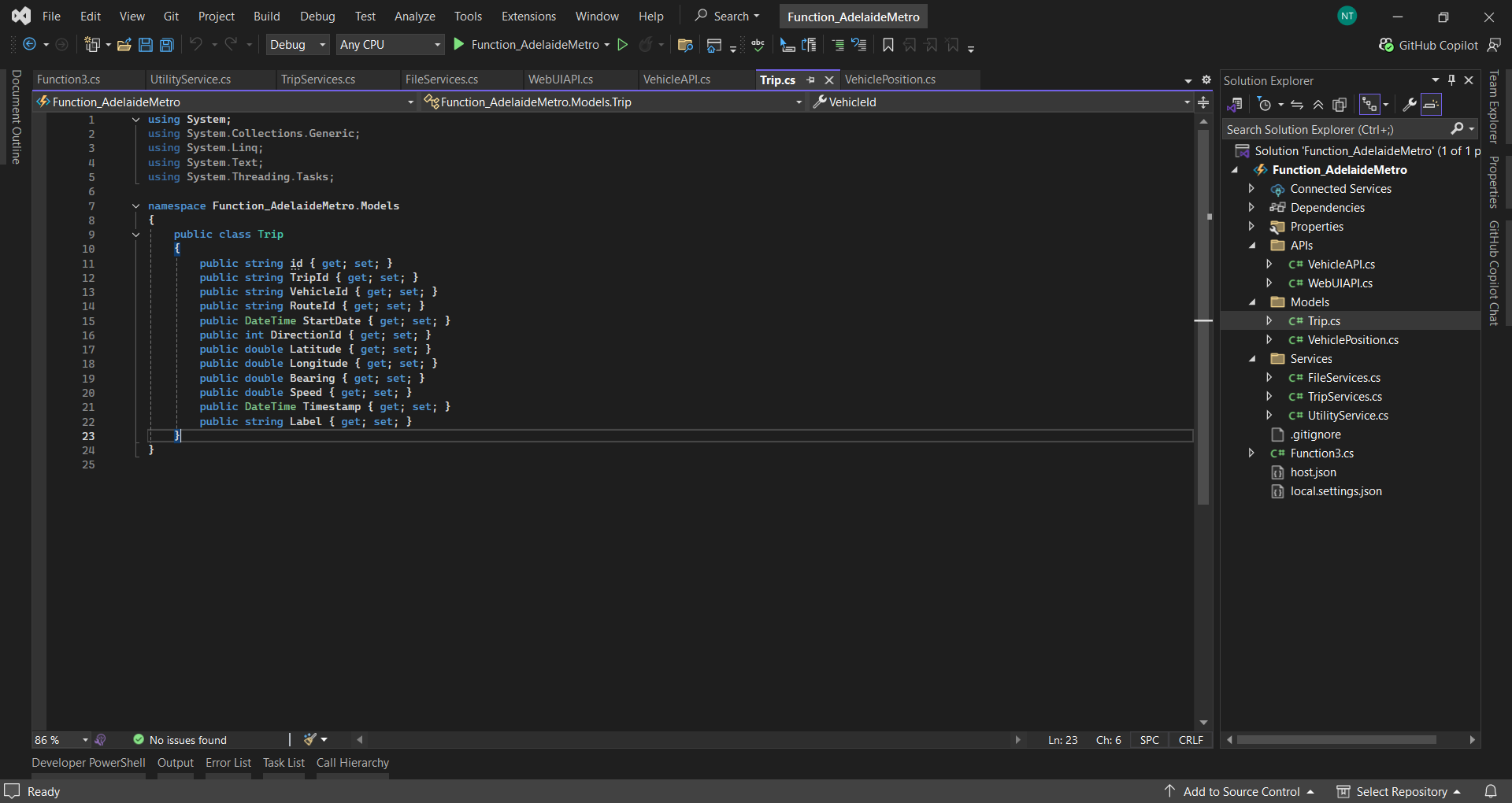
Data Mapping Opject class from the Adelaide Metro GTFS endpoint.
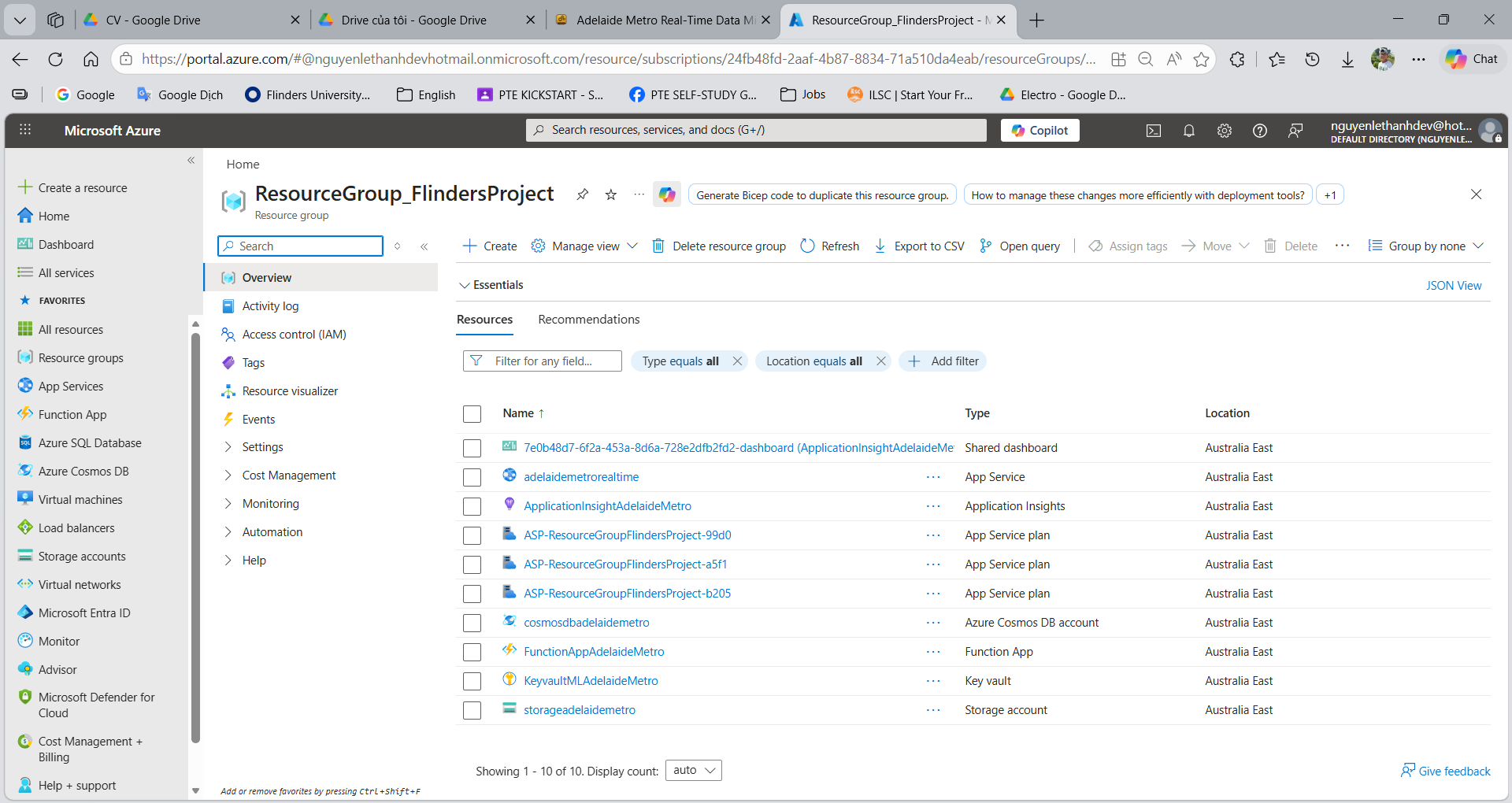
Overview of the Services in Resource Group in the project on Azure Portal.
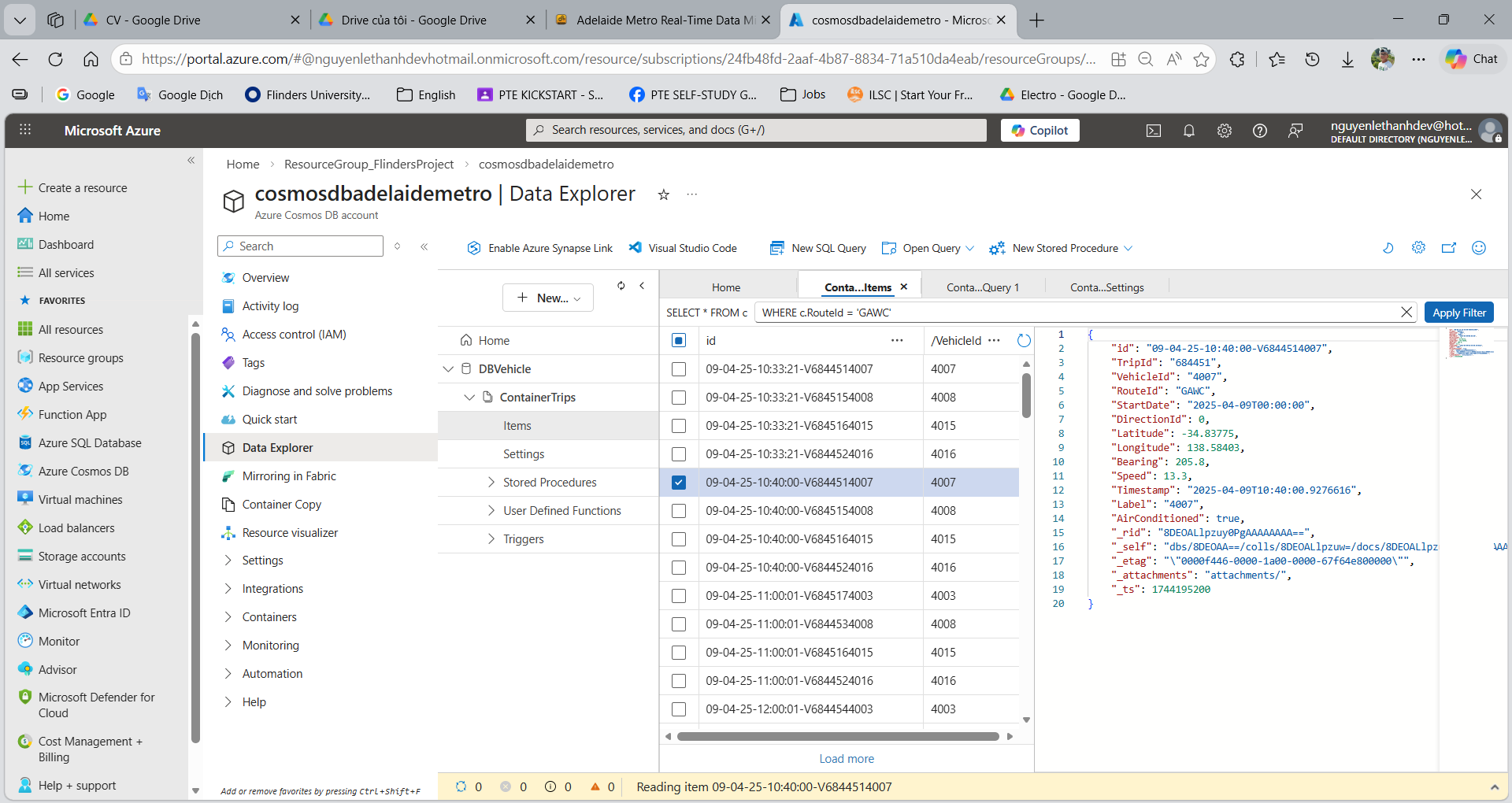
The data is stored in Azure Cosmos DB.
Learning Outcomes
Through this project, the following skills were developed:
- Designing cloud-native and distributed system architectures
- Implementing serverless applications using Azure
- Building real-time data processing pipelines
- Integrating public APIs with cloud-based analytics platforms
- Developing data visualization dashboards and monitoring tools
- Using AI-driven prompting to create websites accurately and quickly